
Searching Cases by Name
Toombs County Superior and State cases have no free anonymous name field. That is true on any official page. So the honest path starts with picking the court. From there you work through the directory, a provider account, or the clerk. A blank result at one layer proves nothing about whether a case exists.
- Read the notice, filing, citation, or receipt and identify Superior, State, Magistrate, Probate, Juvenile, or a municipal court.
- Open the Georgia Courts E-Access directory and locate Toombs State or Toombs Superior when one of those courts holds the case.
- Follow the listed provider and sign in or register if required. PeachCourt does not expose party or case filters before login.
- Enter the name exactly as the court record uses it if a search field becomes available. Check spelling, punctuation, and name order.
- Open the matching record and compare court, case number, case type, filed date, and status before relying on it.
- If access stops or no match appears, call Nancy Pittman’s Clerk of Court at 912-526-3501 or contact the separate Probate, Magistrate, Juvenile, or municipal custodian.
The older Icon route shows only credentials before login. Party-search controls never appear.
| Field Label | Type | Required | Notes |
|---|---|---|---|
| UserID | Text | Unspecified | Credential field with no public name-search instructions. |
| UserPassword | Password | Unspecified | Credential field. |
| Remember User Name | Checkbox | No | Optional login preference. |
| Log In | Button | Not stated | No party, court, date, status, or export controls appear first. |
Pick the Toombs Court First
"Toombs County" alone is not enough. Nancy Pittman's office publishes and services records for Superior, State, Juvenile, and Magistrate matters. Probate Court and each municipal court run separate routes. The E-Access directory names Toombs State and Toombs Superior only. Do not assume it holds a Magistrate claim, a probate petition, or a city citation.
| Court lane | Typical starting route | Important boundary |
|---|---|---|
| Superior or State | E-Access directory, PeachCourt, or Clerk of Court | Account access applies; no anonymous Toombs result was inspected. |
| Magistrate | County Magistrate office or Clerk route | Small claims, dispossessory, garnishment, and warrant matters use this lane. |
| Probate | Toombs County Probate Court | Separate office and record types. |
| Juvenile | Juvenile clerk process | Confidentiality and restricted-access rules apply. |
| Municipal | Issuing city court or citation provider | A payment lookup is not a full county docket. |
Use the court label printed on the source document. That single habit prevents the most common provider mismatch in a Toombs County case search.
Searching by Case Number
A case number is usually the strongest identifier. It points to one court file. But Toombs County shows no stable public pattern. No pattern splits into year, case type, and sequence. Never invent a format like YYYY-XX-##### or strip characters just because another Georgia county uses that layout. Type the number exactly as printed. Include letters, leading zeroes, punctuation, spaces and all, when the provider accepts them. Pair it with the right court. If it fails, read the number back to the clerk. Ask which system or court class owns it. A citation number, a warrant-application reference, and a civil case number are not interchangeable. Note: The documented PayYourTix case field is for citation lookup only. It does not establish the Superior or State civil and criminal case-number format.
The Toombs PeachCourt Account Gate
Georgia Courts marks PeachCourt filing as mandatory for Toombs State Court and Toombs Superior Court. PeachCourt handles both filing and court documents. Its public entry page, though, is an account gate. The PeachCourt access page shows Email, Password, password recovery, and registration. No party-name, case-number, court, date, or status filter appears before login.
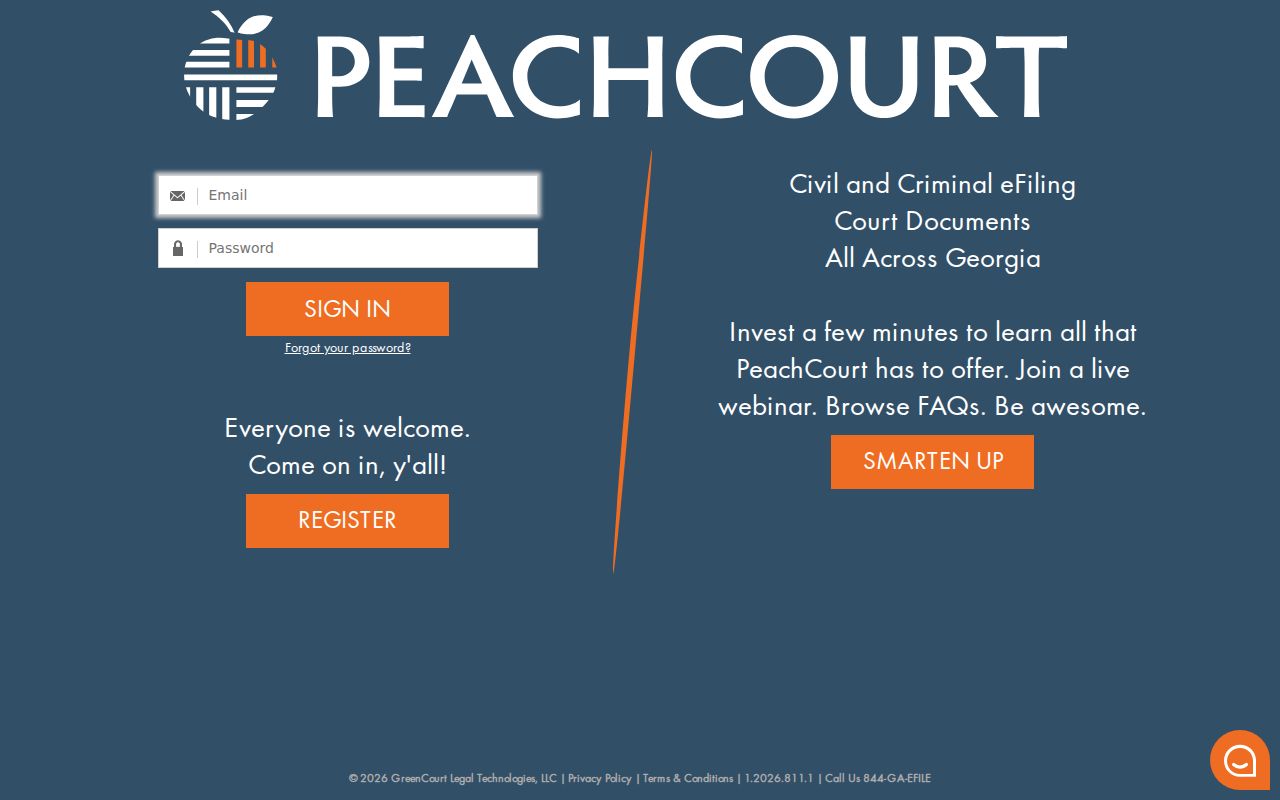
The image documents exactly where public browsing stops. Treat it as an account gate, not a free statewide Toombs County search box. The pre-login view proves nothing about which documents an account can see.
What a Case Search Returns
Check any Toombs County case result field by field. No de-identified local result page is public, so treat these as standard docket fields rather than promises about the Icon or PeachCourt display. The clerk's copy or the provider view controls the exact content.
| Case Number | The court identifier. The public Toombs format was not exposed. |
|---|---|
| Style or Parties | The caption naming the parties, subject to access and privacy limits. |
| Case Type | The court’s classification, such as civil or criminal. |
| Filed Date | The date the clerk accepted the initial filing. |
| Court and Judge | The court class and assigned judicial officer, when public. |
| Settings | Scheduled hearings, motions, pleas, trials, or calendar calls. |
| Status or Disposition | An open, closed, restricted, or case-ending entry as the court records it. |
A result row is not the whole file. Filed documents, financial details, protected data, or sealed material may need a higher access level or a request to the clerk.
Toombs PeachCourt Registration Fields
Creating an account is the first step on PeachCourt. The PeachCourt registration page collects a first and last name, matching email and password entries, a secret question with its answer, a reCAPTCHA prompt, and your agreement to the terms. Those fields build your login, not a Toombs County case lookup.
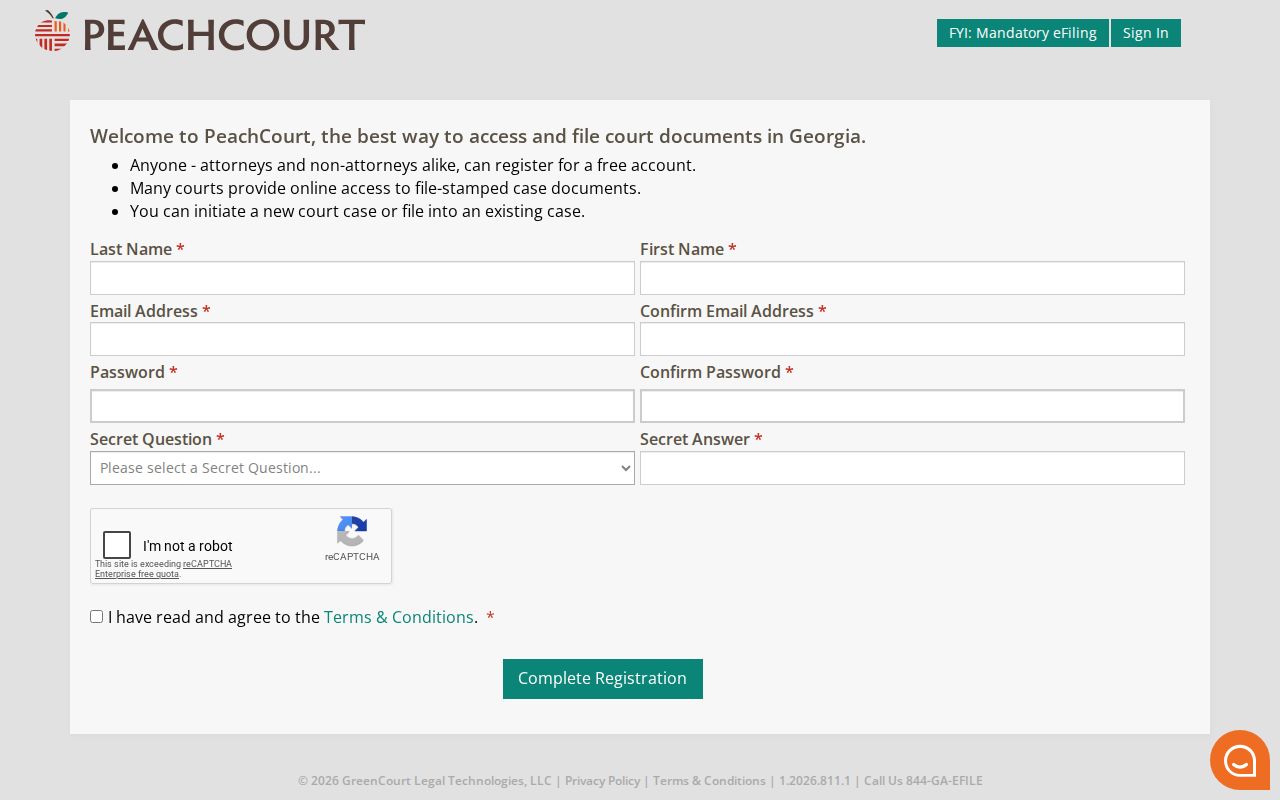
The registration image explains why the Georgia directory says an account is required. Even so, registration does not guarantee that every Toombs County docket image or restricted case becomes public.
Statewide vs County Case Search
Georgia's E-Access service is a directory to participating court providers. It is not one statewide anonymous results database. For Toombs County it names State and Superior entries, then sends you onward. The county route adds the clerk and the older Icon login. Each layer answers a different question.
| Georgia E-Access directory | Toombs County routes |
|---|---|
| Helps identify a listed provider for participating courts. | Connects a known local matter to the clerk, Icon gate, or separate office. |
| Lists Toombs State and Superior and notes account access. | Also requires separate routing for Magistrate, Probate, Juvenile, and municipal matters. |
| Does not offer one public statewide name-results screen. | The clerk can explain a missing result and provide available copies. |
Use the state directory for routing and the county clerk for certainty. Neither should be stretched past its real function.
The Toombs Icon Login Boundary
The older Icon Case Management WebCaseSearch page says "Please Login." It exposes UserID, UserPassword, Remember User Name, and Log In. No public name, number, court, case-type, date, status, results, pagination, or export control appears there. That boundary matters. Calling it an anonymous Toombs County case search would promise access the interface never shows. If credentials are expected, contact the Clerk of Court. Or contact that office if you need a copy. A failed login is an access problem, not a case outcome.
No result is not no case. Wrong court selection, spelling, number format, provider account limits, delayed indexing, or restricted access can all hide a match.
Certified Toombs Results Use eCertification
A docket result on screen is one thing. A certified copy is another. When authentication matters in Toombs County, GSCCCA eCertification is the route. It covers participating Juvenile, State, and Superior records. The process runs in steps. Register first. Then select “Submit a New Request” and choose Toombs County plus the document type. Fill in the required request fields and wait for the status “Awaiting Payment Final Authorization.” Authorize payment, and a secured PDF or authentication link follows.
No base fee is posted, so assume no amount. One caution applies. If the docket number or document title is unknown, ask the clerk to identify the right court record before submitting. That saves a wasted request.
Access and Restricted Cases
Access in Georgia starts wide open and then narrows. Uniform Superior Court Rule 21 presumes public access, but a court can limit parts of a file through its own order process. Rule 36.16 goes further, keeping sealed, in-camera, and restricted items out of ordinary public e-filing altogether. Juvenile confidentiality, criminal-record restrictions, protected identifiers, and protective orders add more layers on top of that.
So what does a gap in the online docket mean? Not much on its own. Never assume a missing entry is sealed. "Restricted" says nothing about how a case ended, and a partial index can stay visible even when a document does not. The right move is to ask the clerk directly. Does the item exist? Which rule or order controls it? What request process applies? Georgia's Open Records Act information also notes that a custodian need not build a new report for you. Ask for something that already exists, like a docket entry, an order, a filing, or a defined field.
A good request gets to the point fast. Name the court. Give the case number if you have it, plus the document or date range you want, and say whether a plain or certified copy will do. That gives the Toombs County custodian enough to route your request without asking a judge for a new legal conclusion.